
Trusted by Businesses for Smarter Warehouse Operations
Warehouse Management Software for Businesses
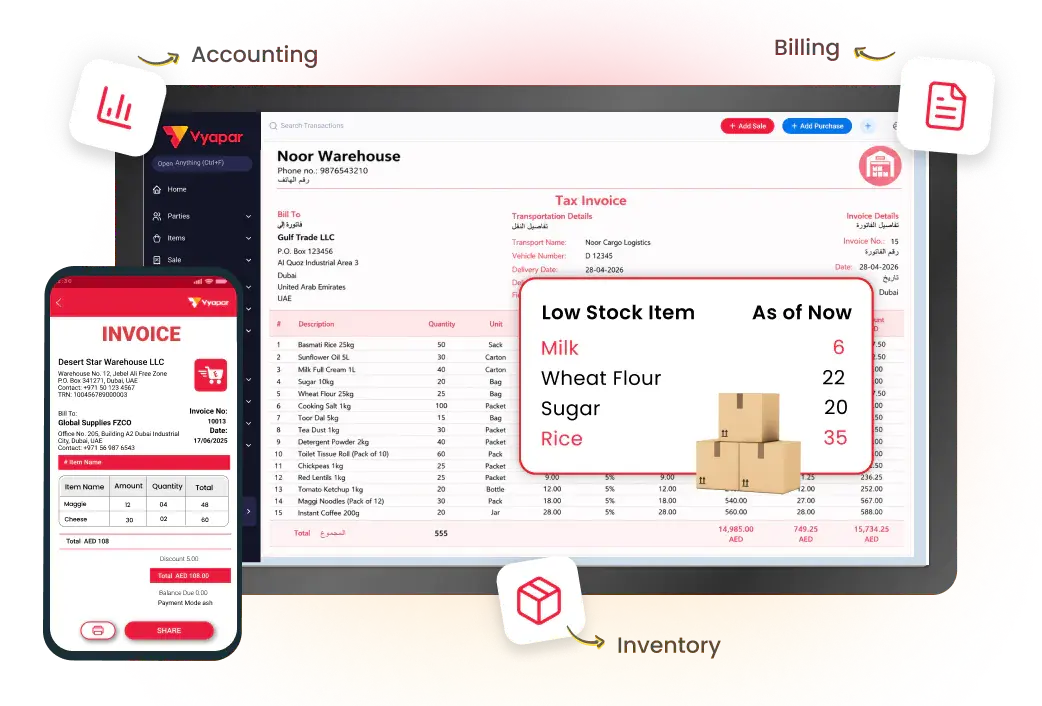
Manage warehouse inventory, stock movements, purchases, and multiple locations from one platform. Vyapar helps businesses keep stock records accurate, monitor inventory, and simplify everyday warehouse operations.
Real-Time Stock Tracking
Barcode Scanning
Multi-Warehouse Support
Trusted by 15M+ Businesses
Warehouses and businesses across every industry use Vyapar for stock tracking, inventory control, and warehouse management
Key Features of Vyapar Warehouse Management System
Real-Time Stock Tracking
Barcode Management
Multi-Warehouse Management
Custom Inventory Reports
Real-Time Stock Tracking – Always Know What is in Your Warehouse
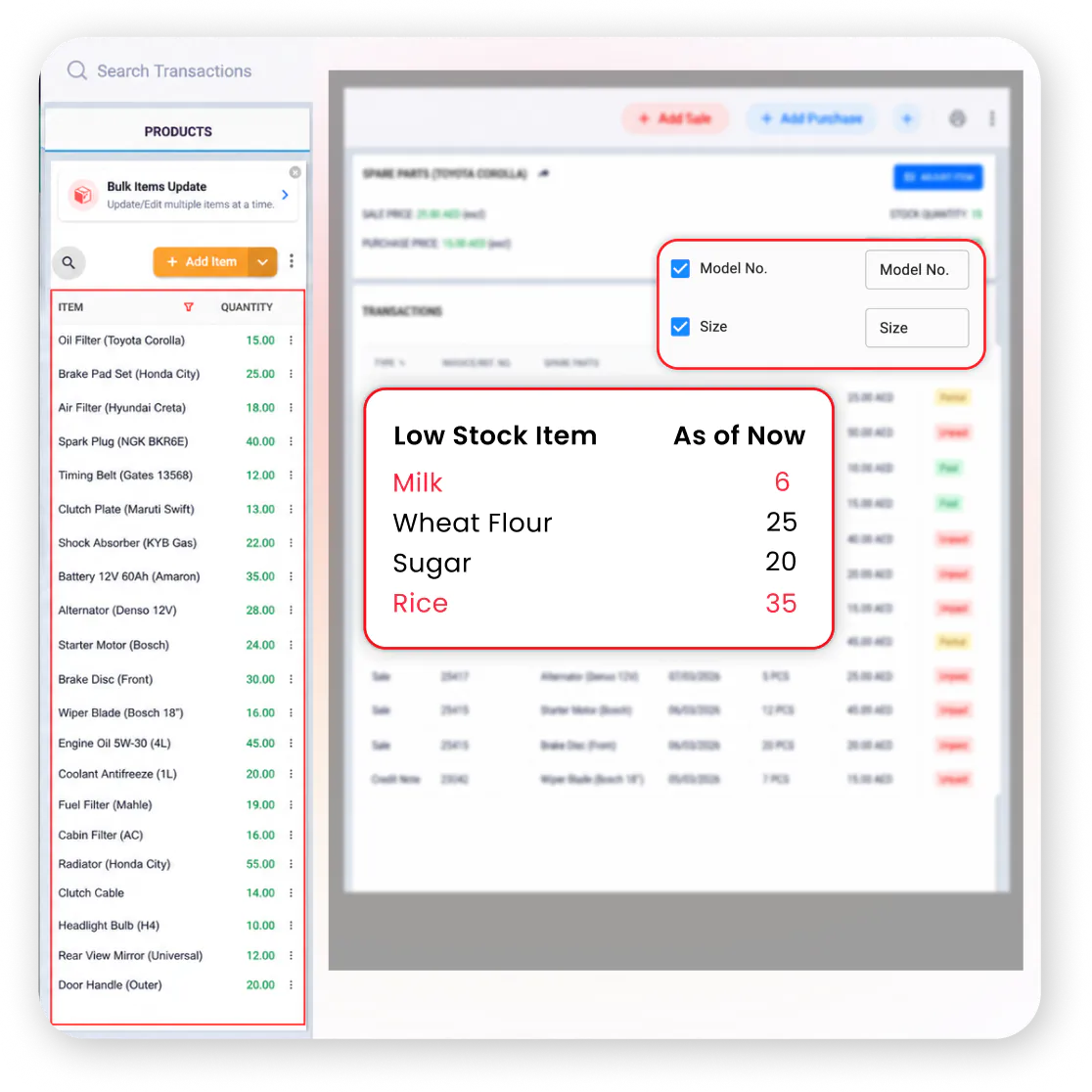
Vyapar’s warehouse management software provides instant updates of your stock levels, so you always stay on top of your inventory. Every purchase, sale, or transfer updates stock automatically – the number on screen always matches what is actually in the warehouse.
Generate quick stock reports to see what is moving fast and what is sitting idle. Get real-time visibility into stock across single or multiple warehouse locations.
- Automatic stock update as you complete purchases, sales, or transfers
- Real-time visibility into stock across single or multiple warehouses
- Generate quick stock reports to identify fast and slow-moving items
How it works:
Every purchase, sale, or transfer updates your stock instantly in Vyapar. The dashboard shows live stock levels across all warehouse locations with no manual counting required.
Key Benefits:
- No more overselling or stockouts
- Accurate numbers without manual counts
- Faster restocking decisions
Mini use case:
A Dubai wholesale distributor checks Vyapar before confirming a large dispatch and sees exactly how many units are left across 3 warehouse locations – avoiding an oversell.
Barcode Management – Faster Receiving, Picking, and Dispatch
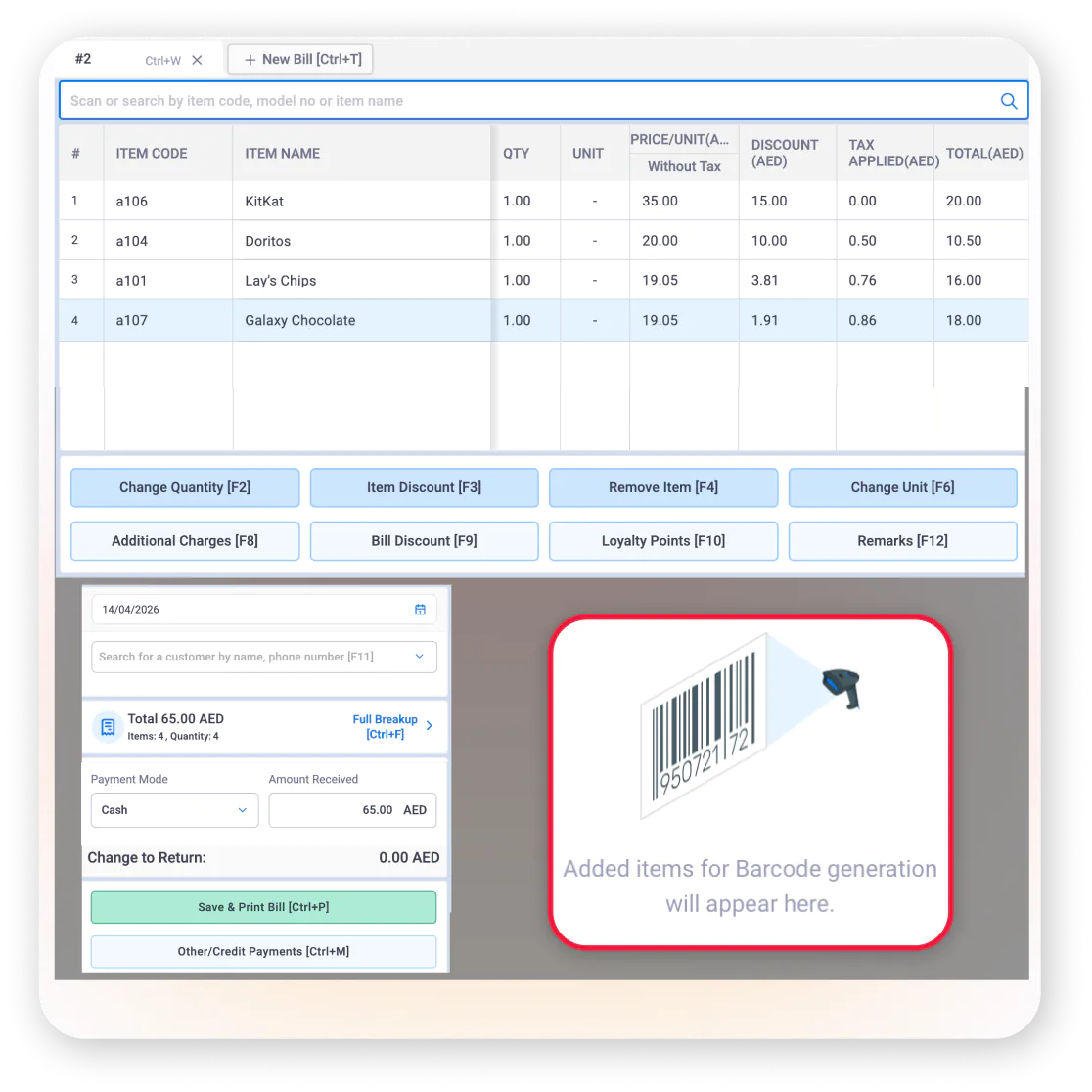
Manage your warehouse management system more efficiently with Vyapar’s barcode tools. Generate barcodes for each item and print them using thermal label printers. Scan barcodes to instantly add items during purchase, sales, or stock updates – making operations faster and error-free.
- Generate barcodes for every item and print using thermal printers
- Scan barcodes to instantly pull up price, stock, and item details
- Match scanned items instantly to avoid picking or billing mistakes
How it works:
Print a barcode once when you add an item in Vyapar. Scan it at every future purchase or dispatch to pull up price and stock instantly – no manual searching required.
Key Benefits:
- Faster receiving and dispatch operations
- Fewer manual entry mistakes
- Better accuracy during stock audits
Mini use case:
A Sharjah FMCG warehouse team scans a full pallet of 200 items in minutes using Vyapar – what used to take an hour of manual checking and data entry.
Multi-Warehouse Management – Manage Stock Across All Your Locations
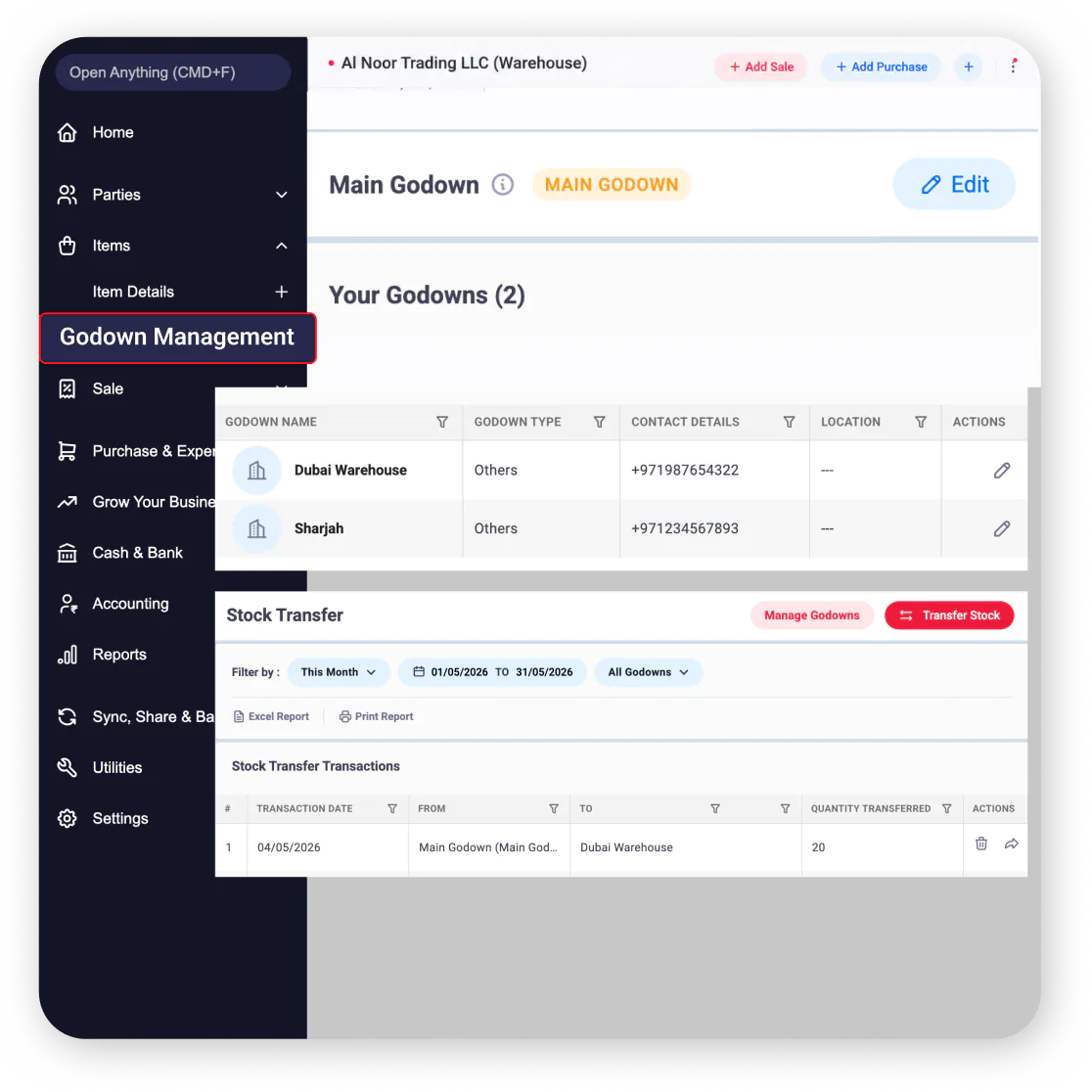
Manage stock across multiple warehouses effortlessly with Vyapar. Get location-wise stock reports, transfer stock between warehouses, and view complete movement history for every item – all from one dashboard.
- Track inventory by warehouse location to keep operations organised
- View a combined report of stock from all your locations in one place
- Keep a clear log of stock transfers between warehouses for full transparency
How it works:
Every stock transfer between warehouses is recorded automatically in Vyapar. Your central dashboard always reflects where each item actually is across all locations.
Key Benefits:
- Faster business decisions with combined visibility
- No more separate registers per warehouse
- Full transfer history for accountability
Mini use case:
A Dubai distributor checks stock across 3 warehouses from one Vyapar dashboard before confirming a large order – transferring 500 units from the Sharjah warehouse to fulfil the order instantly.
Stock Valuation (FIFO) – Accurate Costing and Profit Calculations
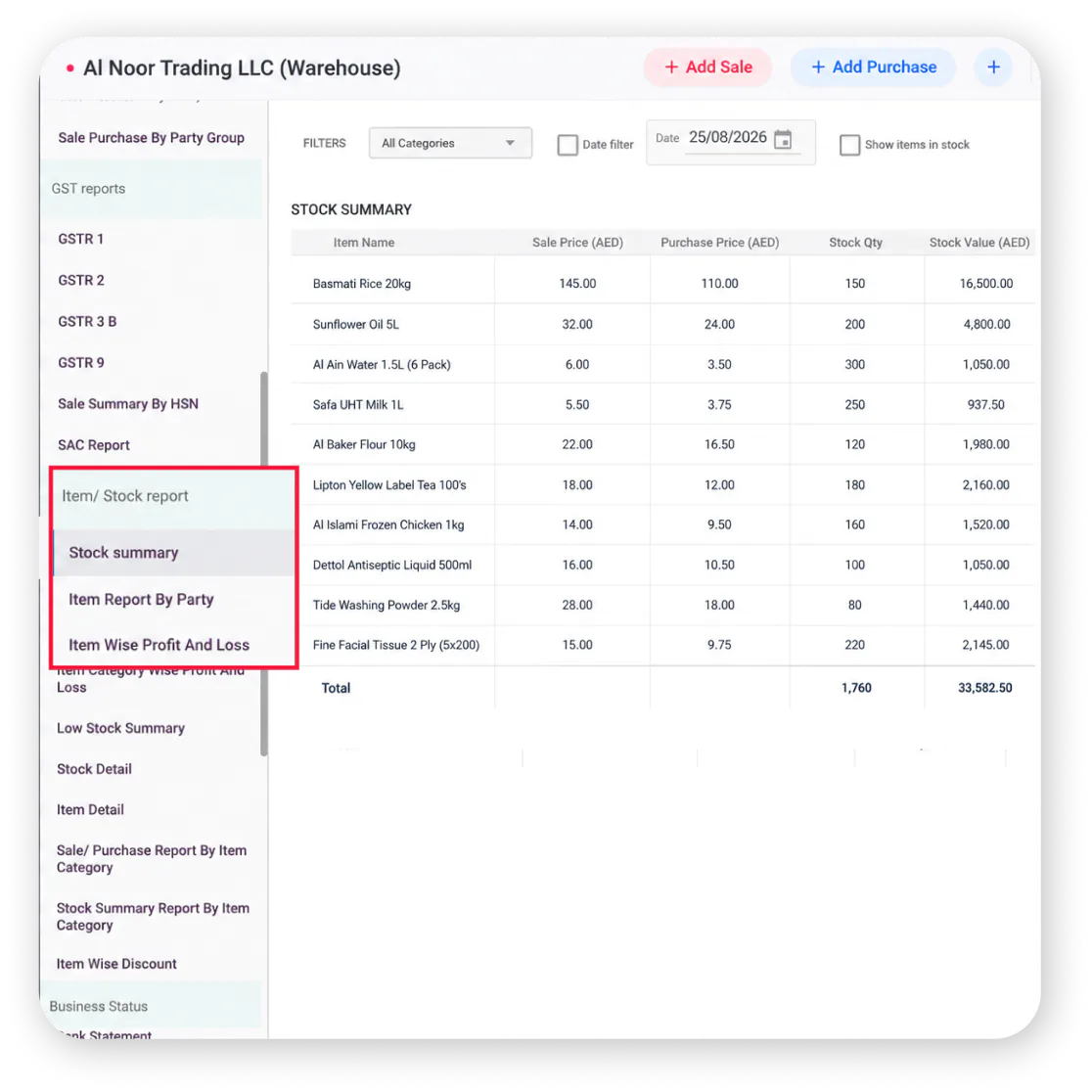
Vyapar helps warehouses follow the FIFO (First In, First Out) method to value stock based on your oldest purchases. This ensures accurate costing, correct profit calculations, and compliance with standard accounting practices.
Get item-wise profitability reports to see margins across your warehouse. Inventory valuation links automatically with your VAT records, keeping your financials audit-ready.
- FIFO stock valuation based on oldest purchase prices for accurate costing
- Item-wise profitability reports to see margins across your warehouse
- Valuation links automatically with VAT records for audit-ready financials
How it works:
As stock moves out, Vyapar calculates its cost using FIFO – so your valuation and margin numbers always reflect real purchase prices. No manual calculation needed.
Key Benefits:
- Accurate costing without manual calculation
- Correct profit margin visibility per item
- Simplified audit and tax reporting
Mini use case:
An Abu Dhabi warehouse owner reviews item-wise profitability each month in Vyapar and adjusts pricing on slow-moving stock – improving overall margins by 12%.
Custom Inventory Reports – Detailed Reports on Stock, Transfers, and Purchases
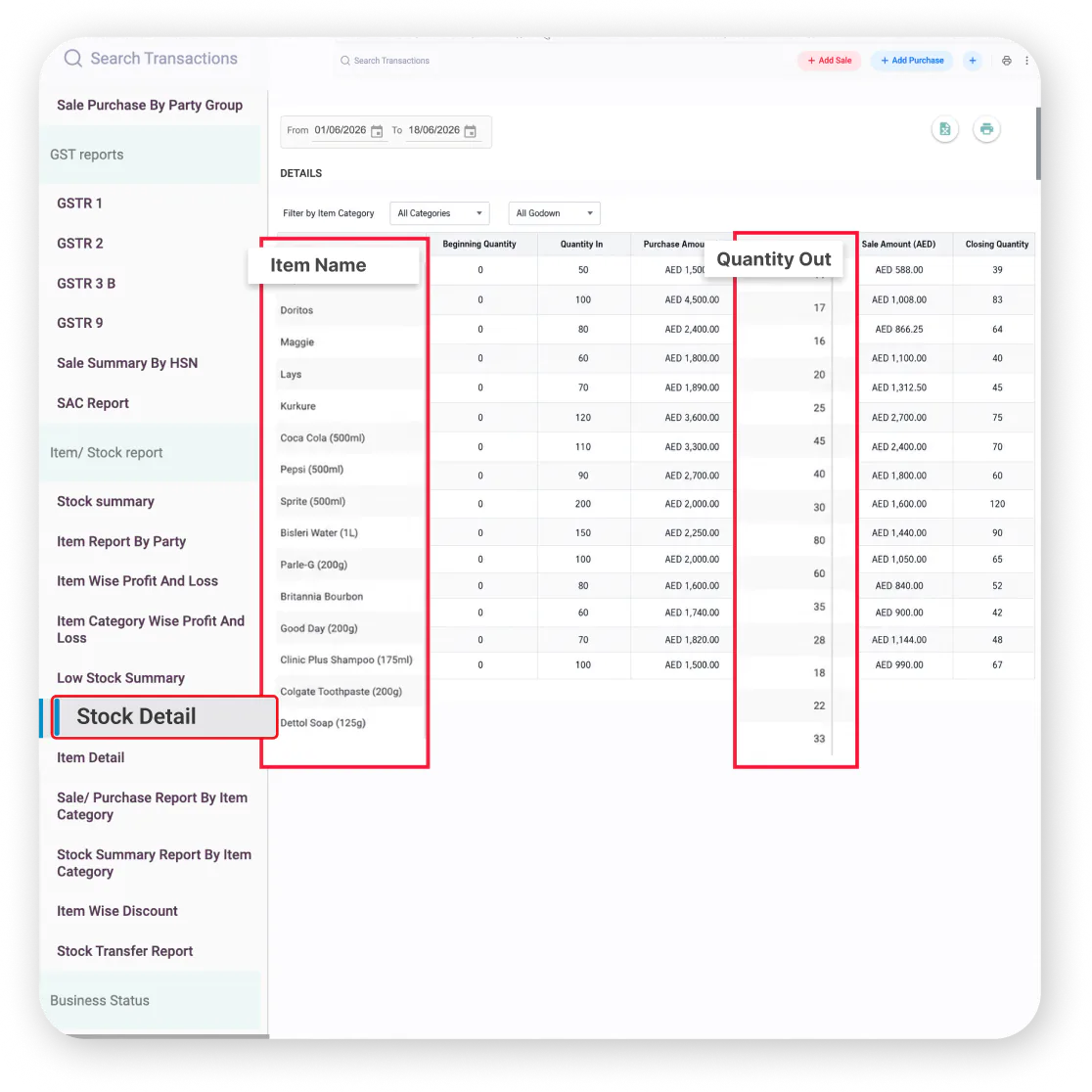
Generate detailed reports on stock levels, transfers, and purchases across every warehouse on demand. Vyapar’s warehouse management software gives you complete visibility into your inventory operations with customisable reports.
- Stock level reports by warehouse, item, or category
- Transfer history reports showing all movement between locations
- Purchase and supplier reports for better procurement decisions
How it works:
Open the reports section in Vyapar, select the report type (stock, transfer, purchase), apply filters by date or warehouse, and generate instantly. Download as PDF or Excel.
Key Benefits:
- Complete warehouse visibility in one click
- Identify slow-moving and fast-moving stock
- Reports ready for audits and management review
Mini use case:
A Sharjah electronics distributor generates weekly stock reports in Vyapar across 2 warehouses – spotting that 15% of inventory has not moved in 60 days, triggering a clearance sale.
Why Vyapar Is the Best Warehouse Management System for Businesses
Vyapar brings warehouse inventory, purchasing, sales, and business reporting together in one platform. Instead of managing stock information across separate spreadsheets and registers, businesses can keep their day-to-day inventory operations connected and easier to manage.
Manage Inventory Alongside Your Business Operations
Keep your warehouse stock connected with purchases, sales, and inventory movements. This gives you a more complete view of your business instead of managing warehouse inventory separately.
Make Faster Inventory Decisions
Get access to stock, purchase, transfer, and inventory reports when you need them. Use this information to identify slow-moving stock, monitor inventory levels, and make better purchasing and stock allocation decisions.
Manage Multiple Locations From One Platform
Businesses operating from multiple warehouse locations can maintain visibility of inventory across locations and record stock transfers without relying on separate registers for each warehouse.
Reduce Manual Inventory Work
Automated stock updates, barcode scanning, and digital inventory records reduce the need for repetitive manual stock entry and help maintain more consistent inventory records.
Keep Supplier Information Connected to Purchases
Maintain supplier details, purchase history, outstanding balances, and payment information alongside your business records. This makes it easier to review supplier activity when planning purchases.
Keep Your Inventory Records Organised
Store product, stock, purchase, transfer, and supplier information in one platform. This gives your team a centralised source for managing warehouse-related business information.
Support Better Stock Planning
Use inventory visibility and reporting to understand what is available, what is moving, and where stock is held. This helps businesses plan replenishment and stock movement more effectively.
Built for Growing Businesses
Whether you manage one warehouse or inventory across multiple locations, Vyapar provides a single platform to manage core warehouse and inventory operations as your business grows.
Access Your Warehouse Information on the Go
With mobile access, business owners and teams can check inventory information, update products, manage stock operations, and review reports without being restricted to a desktop.
Take Control of Your Warehouse – Start Using Vyapar Today!
We take pride
in our success
15M+
Businesses Using Vyapar Globally
20M+
Invoices Processed
< 2 min
Invoice Creation Time
70+
Industries Served
4.8/5
Avg. User Rating
37+
Business Reports
❝ Highly rated by users ❞





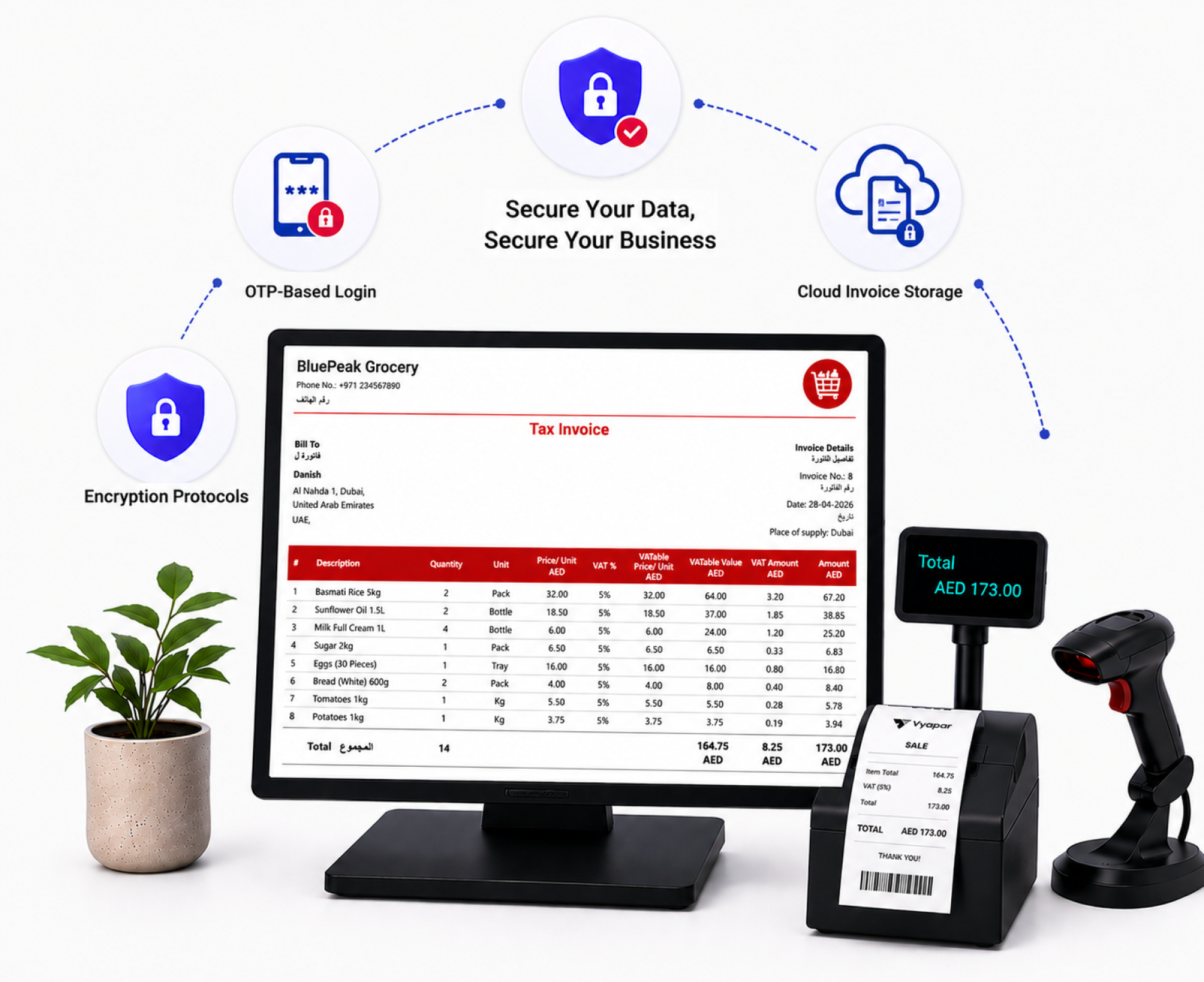
Secure Your Warehouse Data,
Secure Your Business
Vyapar stores all your inventory records, supplier data, and warehouse transaction history securely in the cloud – protected with strong security measures and accessible only by authorised users.
OTP-Based Login
Only authorised team members can access your warehouse and inventory data – protected by OTP authentication.
Encryption Protocols
All inventory records, supplier data, and transaction history are protected with advanced encryption at all times.
Automatic Cloud Backup
All your warehouse data is backed up automatically in the cloud – accessible anytime, never lost.
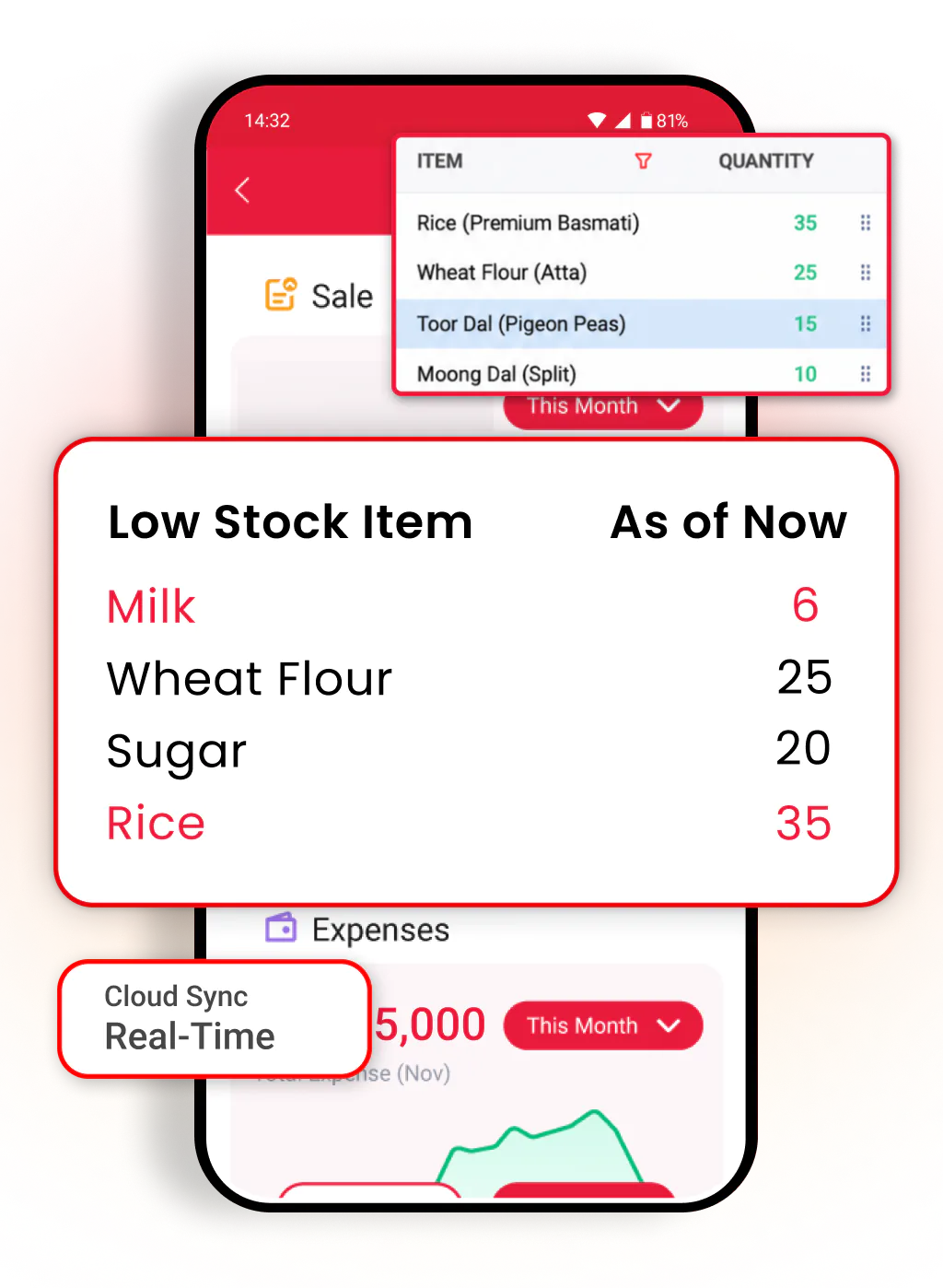
Manage Warehouse Operations Beyond the Warehouse Desk
Track stock, scan barcodes, manage transfers, check reports, and monitor inventory across all warehouse locations – all from your smartphone.
10M+
Downloads
4.8⭐
App Rating
24/7
Access
Frequently Asked Questions
Find answers to common questions about Vyapar warehouse management software.
What is warehouse management software?
Warehouse management software is a digital tool that helps businesses track stock across one or more warehouses, manage inward and outward movement, and control purchases from a single screen. Vyapar combines barcode scanning, multi-warehouse tracking, VAT invoicing, and low-stock alerts in one platform.
Can Vyapar manage multiple warehouse locations?
Yes. Vyapar lets you manage stock across multiple warehouses from one dashboard. You can track inventory by location, transfer stock between warehouses, and view combined reports with complete movement history.
Does Vyapar support barcode scanning for warehouses?
Yes. Vyapar lets you generate barcodes for every item, print them using thermal printers, and scan them for instant receiving, picking, and dispatch – making warehouse operations faster and error-free.
How does Vyapar track stock in real time?
Every purchase, sale, or transfer updates your stock instantly in Vyapar. The dashboard always shows live stock levels across all warehouse locations with no manual counting required.
Does Vyapar support FIFO stock valuation?
Yes. Vyapar uses the FIFO (First In, First Out) method to value stock based on your oldest purchases. This ensures accurate costing, correct profit calculations, and audit-ready financials.
Can I generate inventory reports in Vyapar?
Yes. Vyapar generates detailed reports on stock levels, transfers, and purchases across every warehouse. Reports can be filtered by date, location, or category and exported as PDF or Excel.
Does Vyapar warehouse management system work on mobile?
Yes. Vyapar works on Android and Windows with real-time cloud sync. Track stock, scan barcodes, manage transfers, and check reports from your smartphone anywhere.
Can Vyapar handle expiry date tracking for warehouse items?
Yes. Vyapar supports batch tracking with expiry alerts. You get notified before items near their expiry date, helping you avoid losses and manage perishable inventory efficiently.
Is my warehouse data safe in Vyapar?
Yes. Vyapar provides automatic cloud backups, encrypted data storage, OTP-based login, and role-based access control to keep all your warehouse and inventory data secure.


 (+971)-45490404



Billing software in India for small businesses

